Settings
General
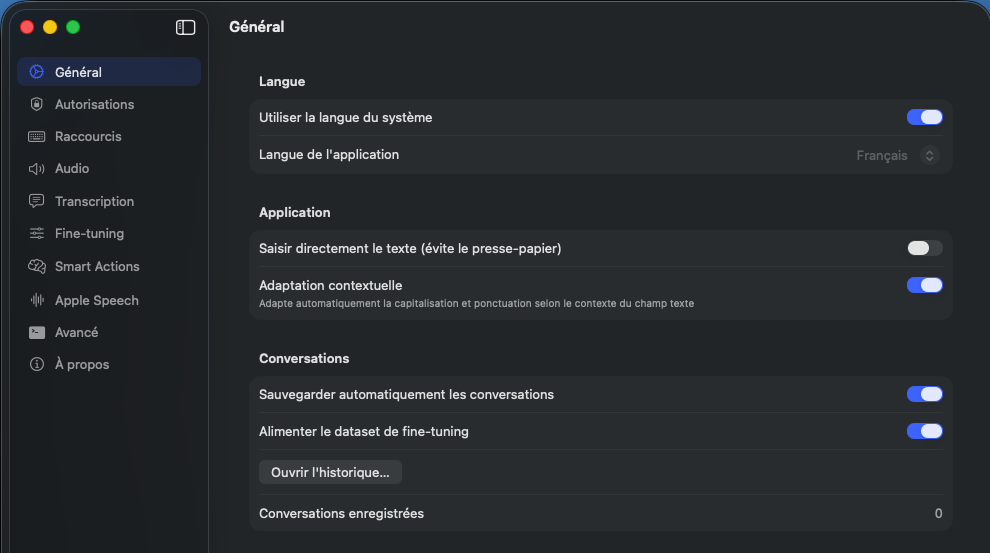
This page describes Oriloq's general settings (global behavior, language, privacy, etc.).
Objective
Define global preferences that apply to the app and features.
Language
Oriloq adapts by default to your system language. You can disable this option to manually choose the interface language from the available languages: French, English, German, Spanish, and Italian.
Contextual adaptation
Contextual adaptation allows adapting to the text field you're in. For example, are you in Slack, in Gmail, or writing a prompt in your IDE.
Icon display
The floating icon display and the Oriloq icon display let you know when you're recording or not.
Automatic conversation saving
Automatic conversation saving is local only and remains 100% private. You can view the history of saved conversations at any time.
Fine-tuning dataset
The fine-tuning dataset feed is also 100% private and will be useful for adapting models if your plan allows fine-tuning.