Settings
Shortcuts
This page describes how to configure keyboard shortcuts, trackpad gestures, and associated options.
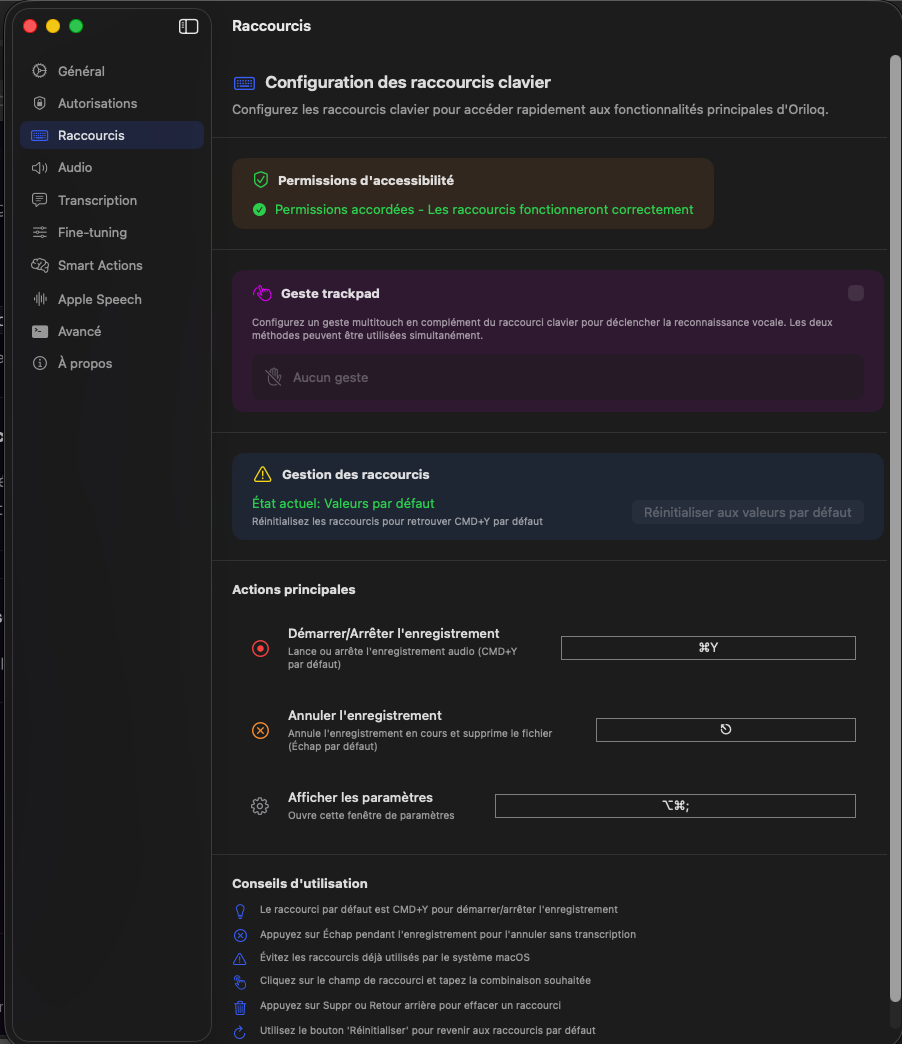
Trackpad gesture
You can now trigger voice recognition with a multitouch gesture on the trackpad, in addition to the keyboard shortcut. Both methods can be used simultaneously.
Main actions
Three actions are configurable: Start/Stop recording (⌘Y by default), Cancel recording (Esc by default), and Open settings (⌥⌘;). Click on the shortcut field and type the desired combination to change it.
Shortcut management
You can reset all shortcuts to their default values at any time. Avoid shortcuts already used by macOS. Press Delete or Backspace to clear an existing shortcut.