Dataset
Other actions
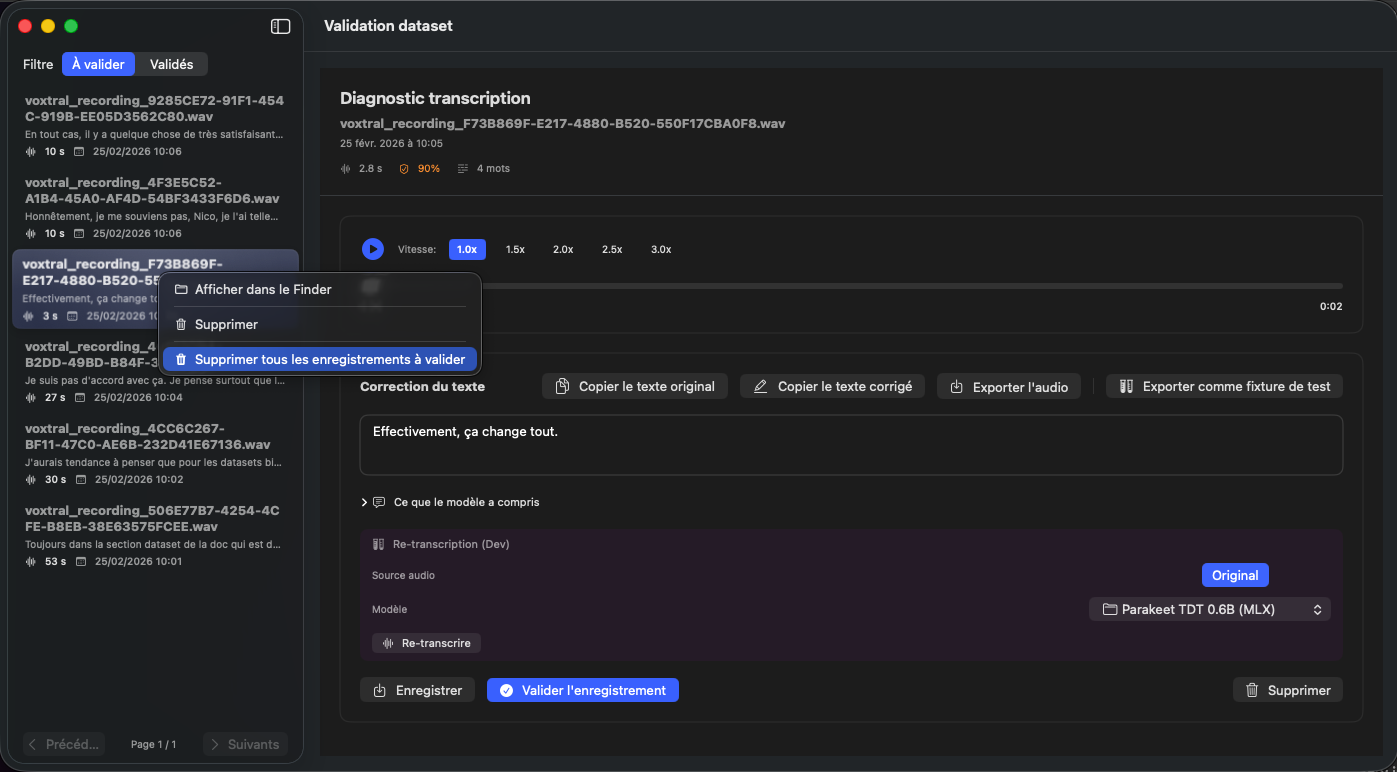
By right-clicking on the dataset list in the sidebar, a context menu gives you access to additional actions. These options are available in both the 'To validate' and 'Validated' tabs.
Show in Finder
The 'Show in Finder' option opens the folder containing the audio file of the selected recording directly in macOS Finder. This lets you quickly locate the file on your disk.
Delete
The 'Delete' option removes the recording you right-clicked on. This action is identical to the Delete button available in the dataset detail area.
Delete all recordings to validate
The 'Delete all recordings to validate' option removes all datasets pending validation at once. Warning: this action is irreversible. All recordings not yet validated will be permanently deleted from your training base.
See also: Datasets to validate